Try the Me&Team beta
Me&Team shows your team's tasks on every new tab. While it waits for the browser stores, you can install the latest test version yourself. It takes about two minutes.
Your download has started. When it's finished, follow the steps for your browser below.
Latest version
Install on Google Chrome
-
Click Download for Chrome above, then unzip the file into a folder you
will keep, for example
Documents\meandteam. Don't delete this folder later: Chrome runs the extension from it. -
Type
chrome://extensionsin the address bar and press Enter. Turn on Developer mode at the top right.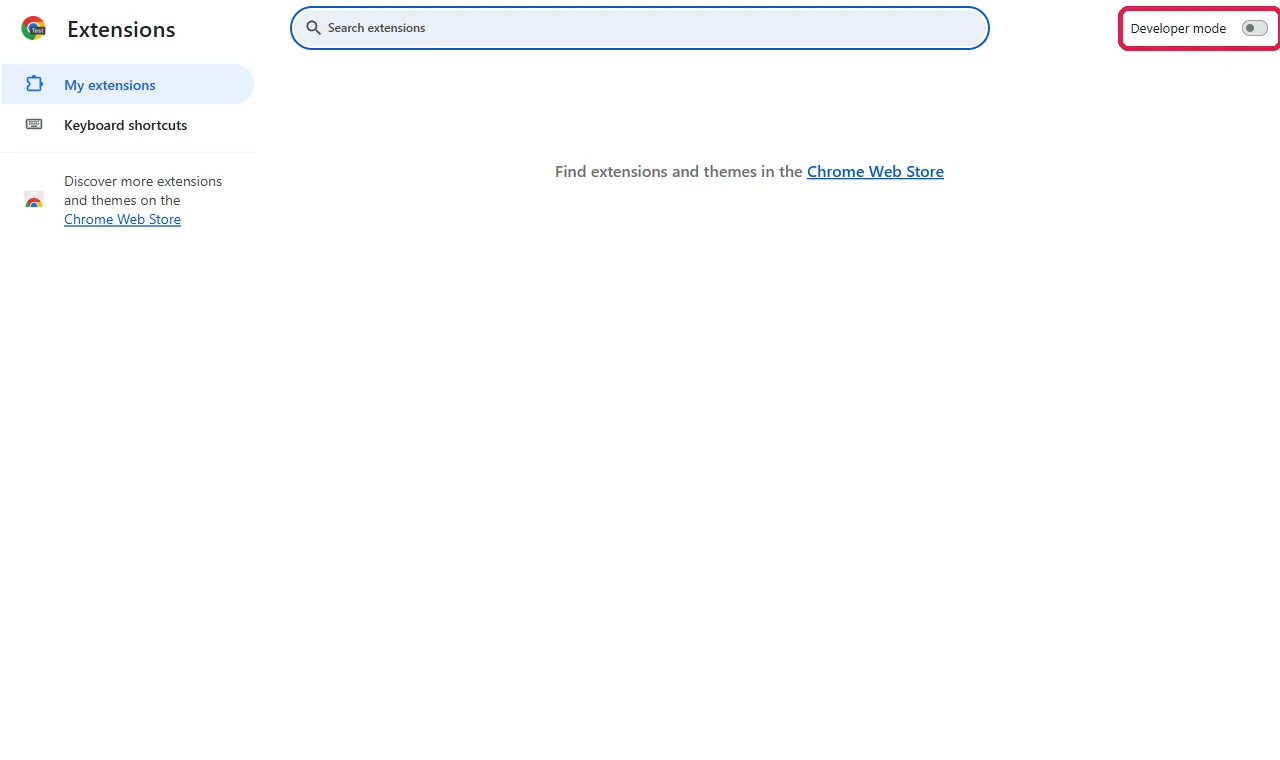
-
Click Load unpacked and choose the folder from step 1 (the one that
contains
manifest.json).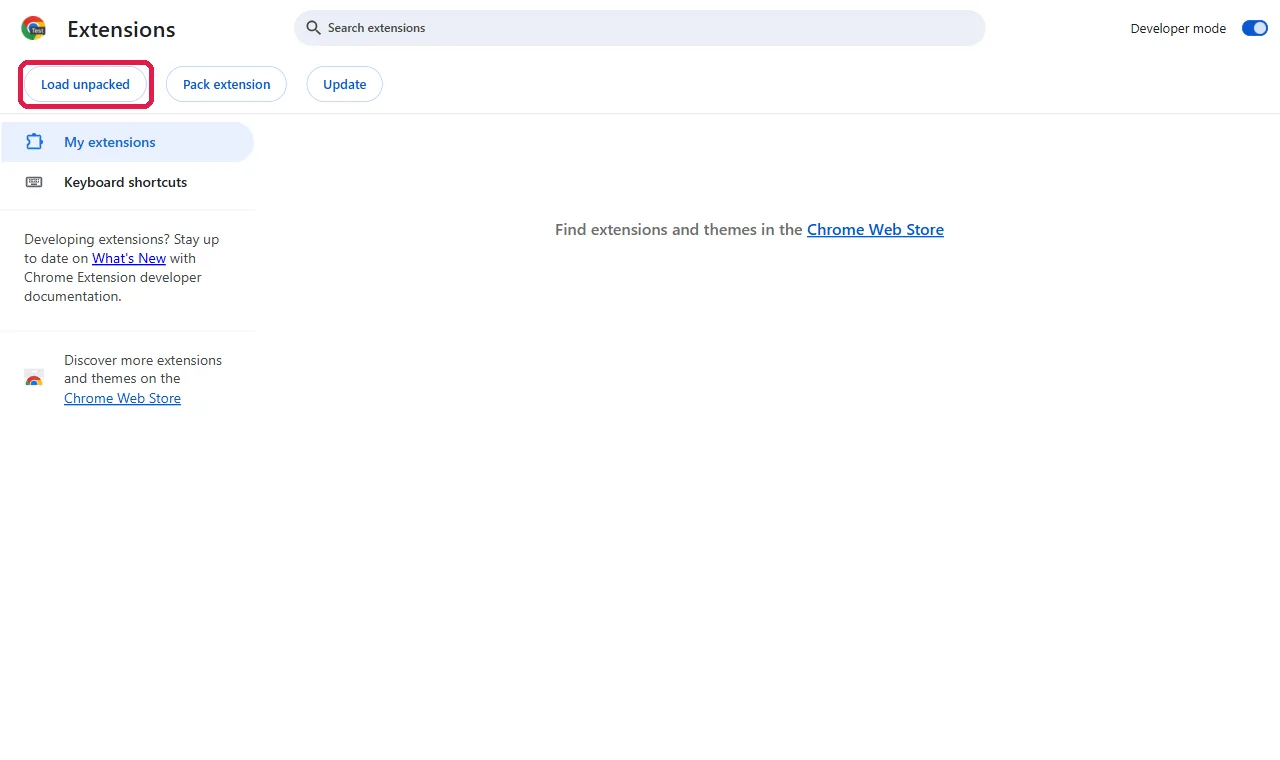
-
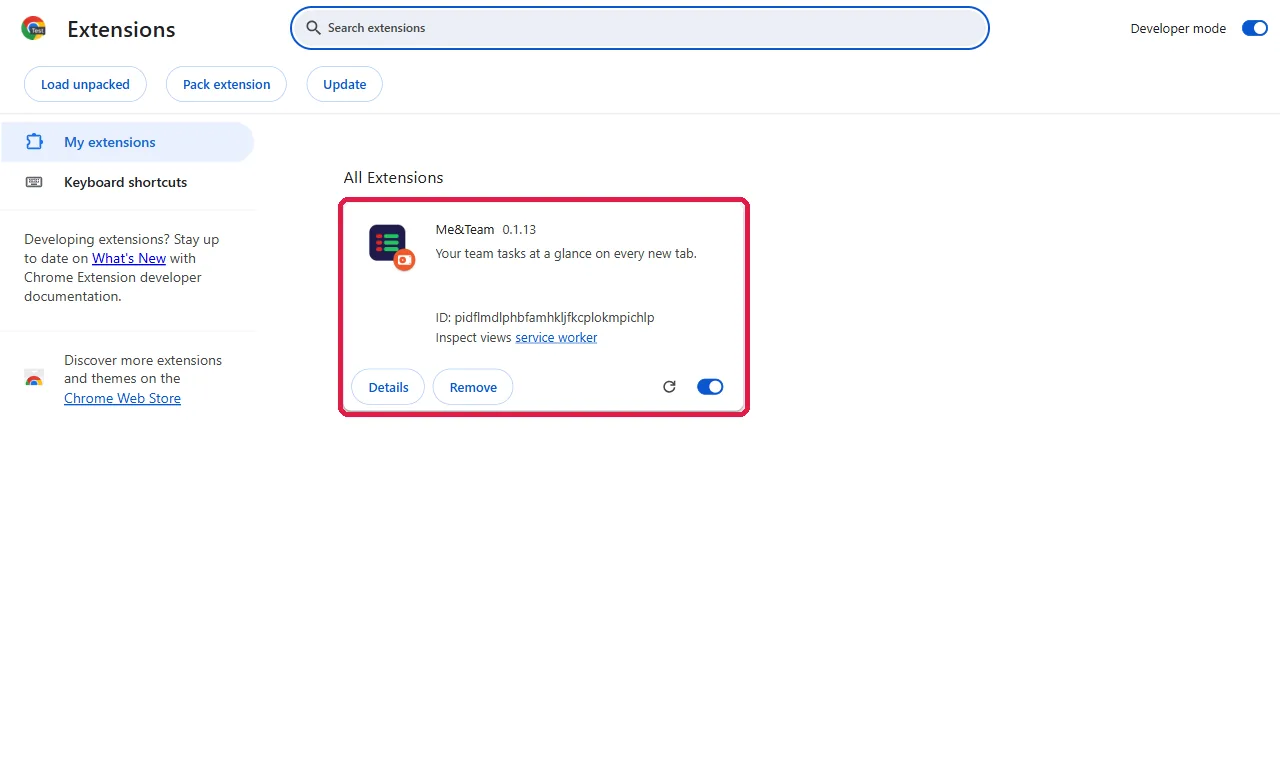
Me&Team now appears in the list. Make sure its switch is on.
-
Open a new tab. If Chrome asks whether to keep the new New Tab page, choose
Keep it. You'll see the Me&Team sign-in screen.
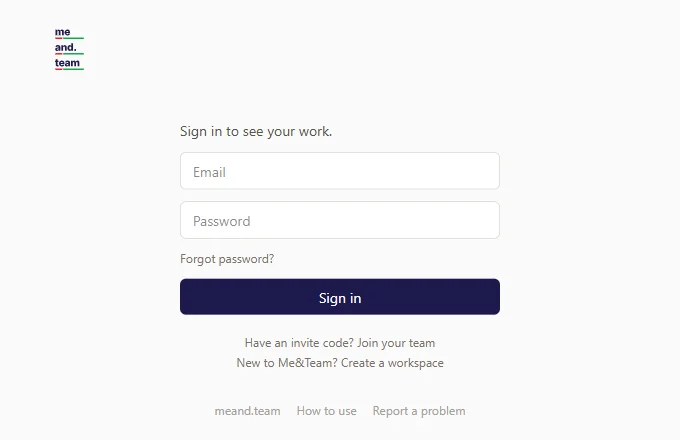
Chrome may show a "Disable developer mode extensions" message when it starts. Close it; the extension keeps working.
Install on Microsoft Edge
-
Click Download for Edge above, then unzip the file into a folder you will
keep, for example
Documents\meandteam-edge. -
Type
edge://extensionsin the address bar and press Enter. Turn on Developer mode at the bottom left.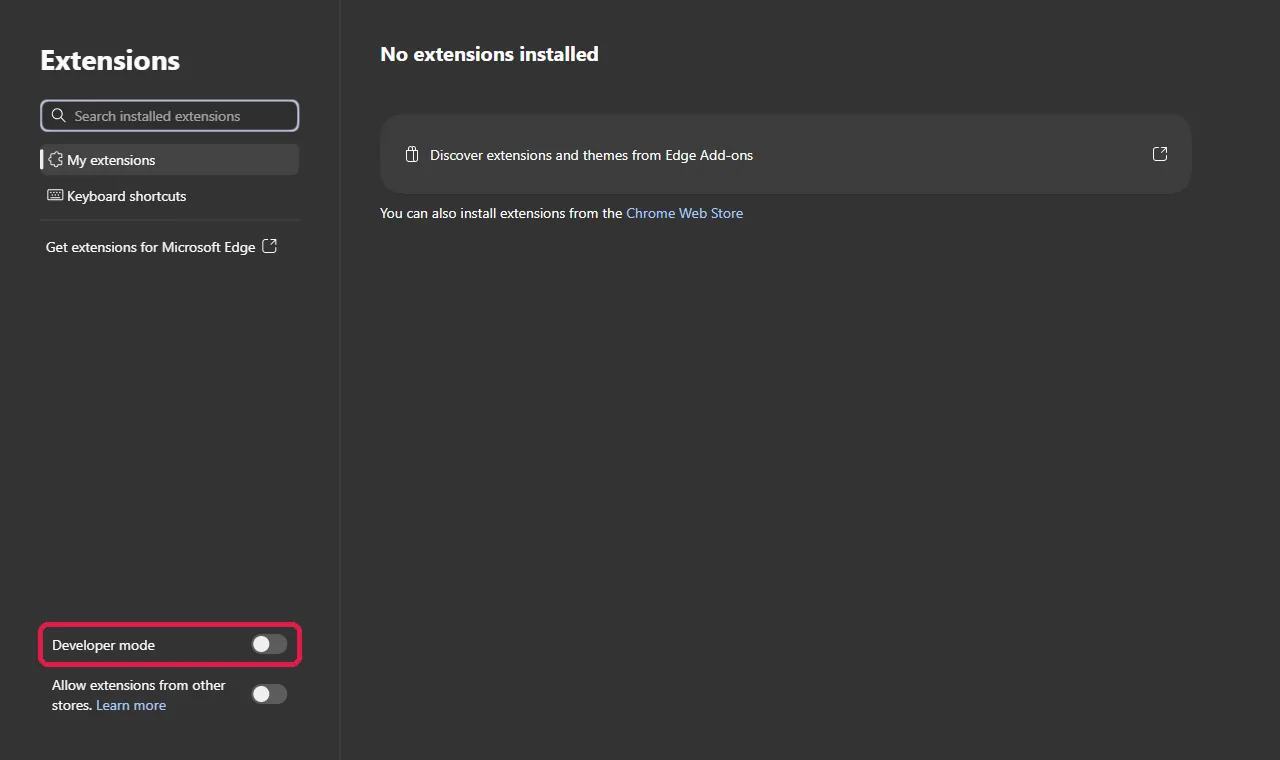
-
Click Load unpacked and choose the folder from step 1.
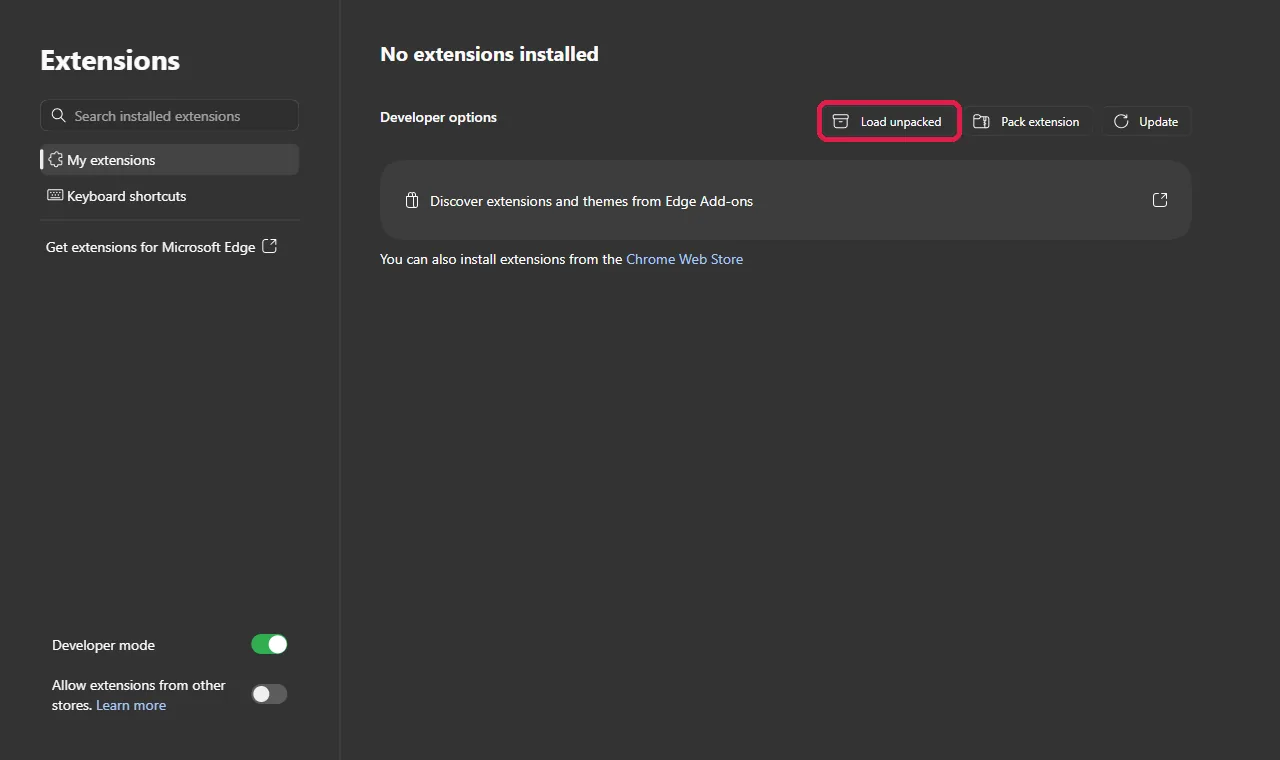
-
Me&Team appears under From other sources. Make sure its switch is on.
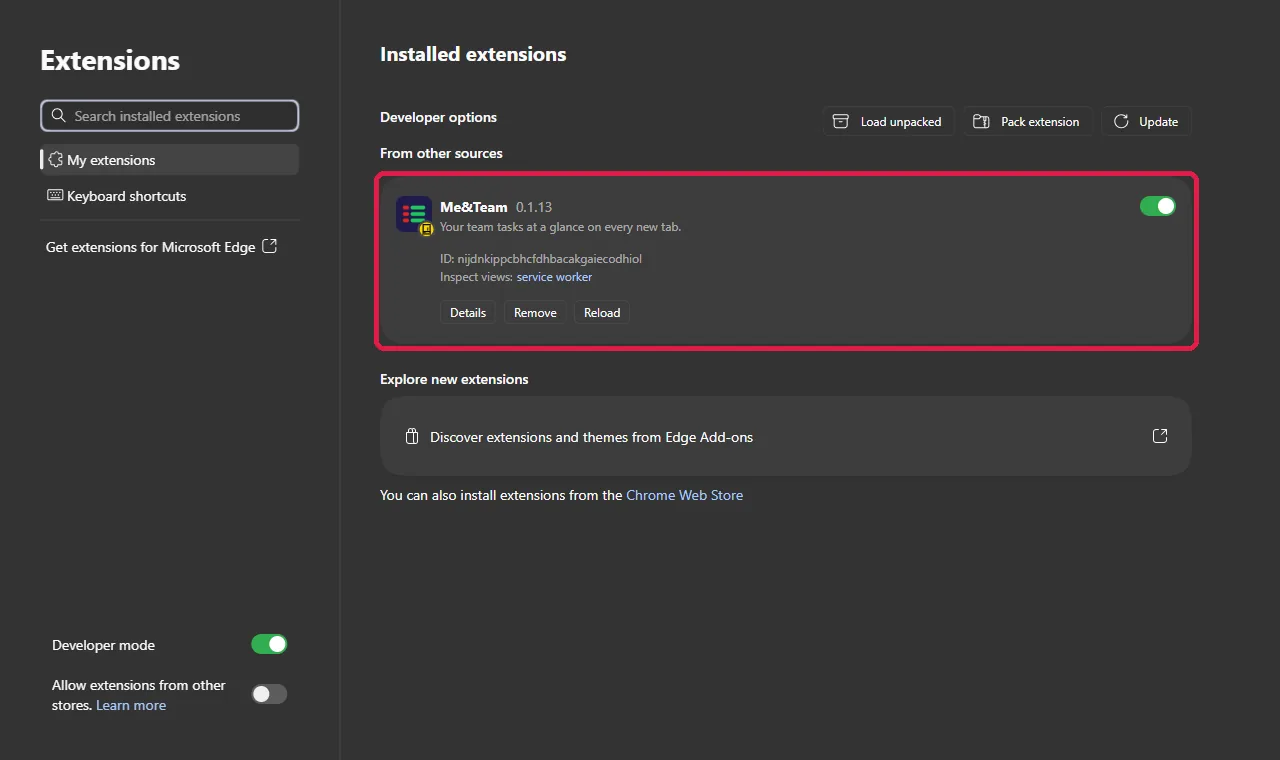
- Open a new tab. If Edge asks whether to keep the change to your new tab page, choose Keep changes.
Install on Firefox
Firefox only keeps add-ons that Mozilla has signed. Until Me&Team is on Firefox Add-ons, you can try it as a temporary add-on: it works until you close Firefox, and you add it again next time. Needs Firefox 140 or later.
- Click Firefox (test only) above. Keep the zip file as it is; there's no need to unzip it.
-
Type
about:debugging#/runtime/this-firefoxin the address bar and press Enter. - Click Load Temporary Add-on… and choose the zip file.
- Open a new tab. Firefox asks whether to keep the new tab page; click Keep changes.
- If Me&Team says it needs permission to reach api.meand.team, click Allow access.
Brave, Vivaldi and Opera
These browsers are built on Chrome, so use the Chrome download and the
Chrome steps. Open brave://extensions,
vivaldi:extensions or opera://extensions instead of
chrome://extensions. Opera may keep its own Speed Dial instead of the
Me&Team new tab. Safari isn't supported yet.
Updating to a newer version
When a newer version is out, Me&Team tells you with a small box on the New Tab and the Dashboard. Download the new zip from this page, unzip it over the same folder (replace the files), then click the round reload arrow on the Me&Team card in your browser's extensions page. Your sign-in and tasks stay as they are.
After installing
Sign in, join your team with an invite code, or create a workspace for your team, your business or just you. The full guide is in How to use (සිංහල). Found a problem? Use Report a problem at the bottom of the New Tab.